


If you manage a team, you probably spend more time than you want chasing updates: pinging people in Slack, skimming long emails, or sitting through meetings where half the team doesn’t even need to talk. Meanwhile, your skip‑level leader still wants a crisp view of what’s going well, what’s stuck, and what’s coming next week.
A simple weekly rhythm that everyone trusts can fix a lot of that chaos. The trick is using a repeatable format that takes your teammates less than 10 minutes to fill out, gives you real signal instead of fluff, and scales from one team to an entire org without turning into paperwork.
In this guide, you’ll get a proven structure that does exactly that: a weekly report template that highlights wins, blockers, and priorities, plus examples for Word, Google Docs, email, Slack, and IT teams. You’ll also see how tools like IsThisClickbait can help you turn long video or meeting recordings into tight written updates.

A simple weekly status report template helps busy managers replace scattered updates with one clear weekly rhythm.
TL;DR
- Use one consistent weekly report template across your team so updates take 10 minutes, not an hour.
- Structure each report around five parts: Wins, Blockers, Next week’s priorities, Metrics, and Asks.
- Keep each section to bullets, not essays, and cap reading time for you at 5–7 minutes.
- If your team shares video updates, use IsThisClickbait to turn them into written bullet points and timestamps.
Why weekly status reports beat yet another meeting
When I first started managing a team of eight engineers, our Monday standup silently grew from 15 minutes to almost an hour. Everyone shared every detail; nobody had time to process it; and by Wednesday, the information was already stale. People started skipping “because I already wrote an update in Jira.”
Research backs this up: Asana’s 2024 State of Work Innovation report found that managers now lose about 5.8 hours per week to unnecessary meetings, an 87% increase since 2019—and a Harvard Business Review study of senior managers reported that 71% say meetings are unproductive and inefficient.
A short written status report works differently:
- Asynchronous. People write when they have focus, you read when you have focus.
- Searchable. Three months from now you can find “API outage” instead of digging through meeting notes.
- Stackable. Your update to your own manager is just the team’s bullets rolled up, not another creative writing exercise.
Tools like project boards and OKR trackers still matter, but a lightweight weekly report is the human summary that stitches everything together. If you already use written update rituals such as Atlassian’s status reports or Asana’s weekly check‑ins, this template will feel familiar but faster.
What is a weekly status report template?
A weekly status report template is a repeatable outline your team uses every week to share progress, risks, and plans. Instead of free‑form paragraphs, everyone answers the same small set of questions in the same order.
A good template:
- Takes less than 10 minutes to fill in.
- Fits in a page or less when you print or export to PDF.
- Highlights wins so the team sees progress and momentum.
- Surfaces blockers early enough that you can help.
- Makes next week’s work obvious so stakeholders stop asking “what are you working on?”
Weekly status reports work best when they take 10 minutes to write and 2 minutes to read.
The template below is simple enough for individual contributors but still rich enough for you to roll up at the team or department level. If you use knowledge tools like Notion or Confluence, you can copy these sections into a shared weekly status database and link to it from your YouTube video summary notes or project docs.
The 10‑minute weekly status report template (copy‑paste)
Here’s the core structure. You can paste this into your wiki, Word doc, or Slack channel and ask everyone to keep each bullet to one line.
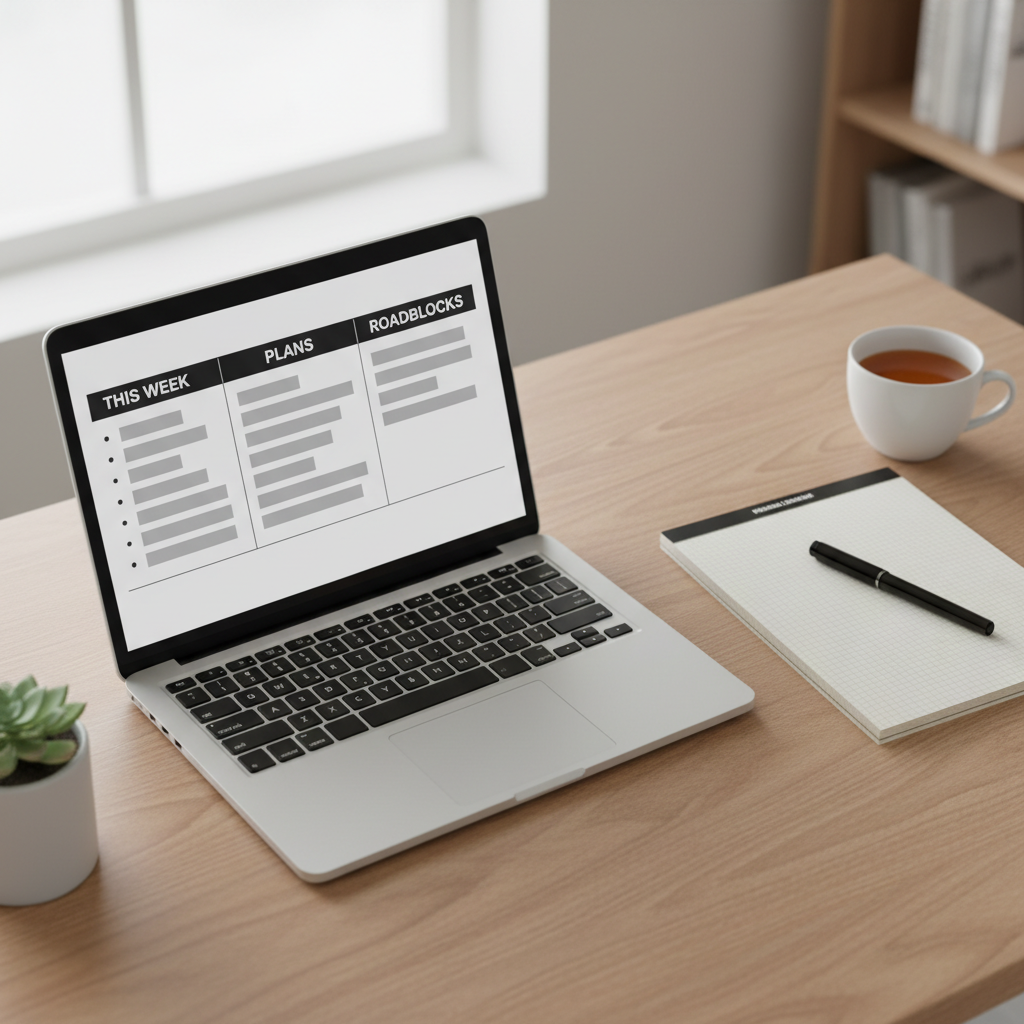
Use a simple, repeatable weekly status report template so your team can share updates in minutes.
Week of: [Date] 1. Wins - [Biggest win or outcome] - [Secondary wins worth celebrating] 2. Blockers & risks - [What is slowing you or the team down?] - [Where do you see risk in the next 2–4 weeks?] 3. Next week’s priorities - [Top 3 tasks or goals for next week] - [How these relate to current projects or OKRs] 4. Metrics & signals - [1–3 key metrics, trends, or leading indicators] - [Any notable changes up or down] 5. Asks for manager / leadership - [Decisions needed] - [Approvals, staffing, or support you need]
1. Wins
Start with what went well. This sets a constructive tone and helps you notice progress even in hectic weeks. Encourage specific outcomes, not just activity. For example: “Shipped v2 of signup flow, increased completion by +4%,” not “Worked on signup.”
2. Blockers & risks
This section is your early warning system. You’re looking for anything that could slip deadlines, hurt quality, or create frustration: slow reviews, unclear requirements, flaky infrastructure, competing priorities, or missing decisions from leadership.
3. Next week’s priorities
Ask people to list three items, max. If everything is a priority, nothing is. These bullets should be easy to map to projects in your work tracker so you can scan and see whether time is going to the right bets.
4. Metrics & signals
You don’t need a full dashboard here. A single metric per person or per team is enough: uptime, tickets closed, active users, revenue, NPS, or whatever matters for your group. The point is to pair the story in the bullets with at least one number.
5. Asks for manager / leadership
This is the section that keeps you from being the bottleneck. If people need decisions, approvals, budget, or help with cross‑team alignment, it goes here. Over time, this teaches the team that weekly status is not just for reporting; it is how they get support.
You can use this same structure for your own update to your manager. Just switch from “What I did” to “What the team did,” and link to past weeks. Over a quarter, you’ll have a searchable narrative you can pull from during performance reviews or project retros.
Weekly report template for Word, email, and Slack
Different teams like different formats, so here’s how to use the same structure across tools you already have.

Apply the same weekly status report template across Word, email, and chat so everyone stays aligned in their preferred tools.
Weekly report template Word / Google Docs
If your company still loves documents, create a simple “weekly report template Word” file with the five headings above and one table:
Store the doc in your usual place (SharePoint, Drive, Confluence) and keep one file per team, one page per week. If you use YouTube chapter generator, link each week’s status report to the relevant meeting recording and summary.
Weekly report email
For email‑first cultures, put the week and team name in the subject line, then paste the same five sections in the body. Ask everyone to keep the whole email under 200 words so leaders can read several in one sitting.
Weekly report Slack / Teams channel
Create a dedicated #weekly‑status channel. Every Friday, pin a short message with the template and ask people to reply in a thread with their update. This keeps updates in one place and makes it easy to scan back through history.
Weekly status report template for IT and engineering teams
Technical teams often juggle incidents, project work, and stakeholder requests in the same week. A small tweak to this structure turns it into an effective IT weekly report template.
Suggested structure for IT / engineering
- Wins. Shipped features, reduced incident count, automation wins, security fixes.
- Incidents. Brief list of notable incidents, root cause known/unknown, and follow‑up status.
- Project progress. Status for key initiatives (on track, at risk, off track) with one‑line context.
- Operational metrics. Uptime, MTTR, ticket backlog, deployment frequency.
- Asks. Decisions on tradeoffs, staffing, tooling, or vendor changes.
If your team shares demo videos or incident reviews on YouTube or an internal video portal, you can run those URLs through IsThisClickbait to get a clean summary with timestamps. Pull the key bullets into your status report so non‑technical leaders see the story without scrubbing through a 45‑minute recording.
For a deeper management perspective on clear technical communication, check out resources like the engineering leadership pieces on LeadDev, then mirror that clarity in your weekly updates.
How to roll this out with your team in 3 weeks
You don’t need a big change‑management plan. Treat this like a small experiment, then refine it with your team.
- Week 1: Pilot the template. Share the template with your direct reports and ask for a one‑time trial. Promise you’ll keep feedback loops short and that you’ll read every report.
- Week 2: Tighten and standardize. Notice where reports are too long or too vague. Set expectations like “3 bullets per section” or “limit to one screen height.” Update the template text to reflect these agreements.
- Week 3: Roll up and share. Create your own manager‑level summary by rolling up your team’s bullets. Share both the rolled‑up view and a link to the individual reports with your own manager or peers.
After three weeks, ask your team two questions: “Does this help you feel more aligned?” and “What should we change or drop?” The best weekly report template is the one your team willingly sticks with, not the one that looks prettiest in a slide deck.
How IsThisClickbait speeds up writing weekly reports
Many teams now share updates through recorded video: sprint reviews, town halls, customer interviews, and training sessions on YouTube. Those recordings are rich with context, but nobody has time to replay them while filling out a status report.

Use AI video summaries to pull key points into your weekly status report template without rewatching long recordings.
That’s where IsThisClickbait helps. Paste a YouTube URL into the extension or web app and you get:
- A clean text summary of the video you can scan in seconds.
- Key points with timestamps so you can jump straight to relevant moments.
- An honesty‑or‑clickbait score that shows how well the video matches its title.
- Q&A chat about the video so you can ask things like “What were the main risks mentioned?”
In practice, that means you can:
- Turn an all‑hands recording into five bullets under “Wins” and “Risks.”
- Summarize a customer interview into “Next week’s priorities” and “Asks for leadership.”
- Link the IsThisClickbait summary from your weekly report so teammates can skim before watching the full video.
If you’re curious, you can start analyzing videos with IsThisClickbait and see how much written update time you get back each week.
Key takeaways
- Standardize on one simple weekly template so updates take 10 minutes to write and 5–7 minutes to read.
- Focus every report on five sections: Wins, Blockers, Next week’s priorities, Metrics, and Asks.
- Roll individual reports up into a concise manager summary instead of rewriting everything from scratch.
- Use async tools like IsThisClickbait summaries to replace status meetings and reclaim deep‑work time.
Weekly status report template: quick FAQ
How long should a weekly status report be?
Aim for one screen of text or less. For most teams, that’s 150–250 words per person, or a short page per team. Shorter reports are more likely to be read every single week.
When should my team send weekly reports?
Pick a clear cutoff time and stick to it. Many managers use Friday afternoons so the week feels “closed,” then read reports on Monday morning. Others prefer Monday morning submissions so reports include weekend on‑call work.
Should I replace standups with weekly reports?
Not always. Daily standups help with coordination on fast‑moving projects. Weekly reports shine for cross‑team alignment and stakeholder visibility. Many high‑performing teams use both: short standups plus a weekly written summary.
Where should weekly reports live?
Pick one home: a wiki database, a shared doc folder, or a Slack channel. Then make it easy to find by linking from your onboarding docs, your project hub, and your internal tools. Consistency beats perfection here.